
Buy, activate and manage your license
You buy, activate, and manage Crucible Heightmap entirely inside the Crucible launcher. Buy it from the Shop tab, your license applies itself automatically, and you handle your plan, billing, and devices from the Account panel. Only the paid apps use a license; the launcher and everything else run without one.
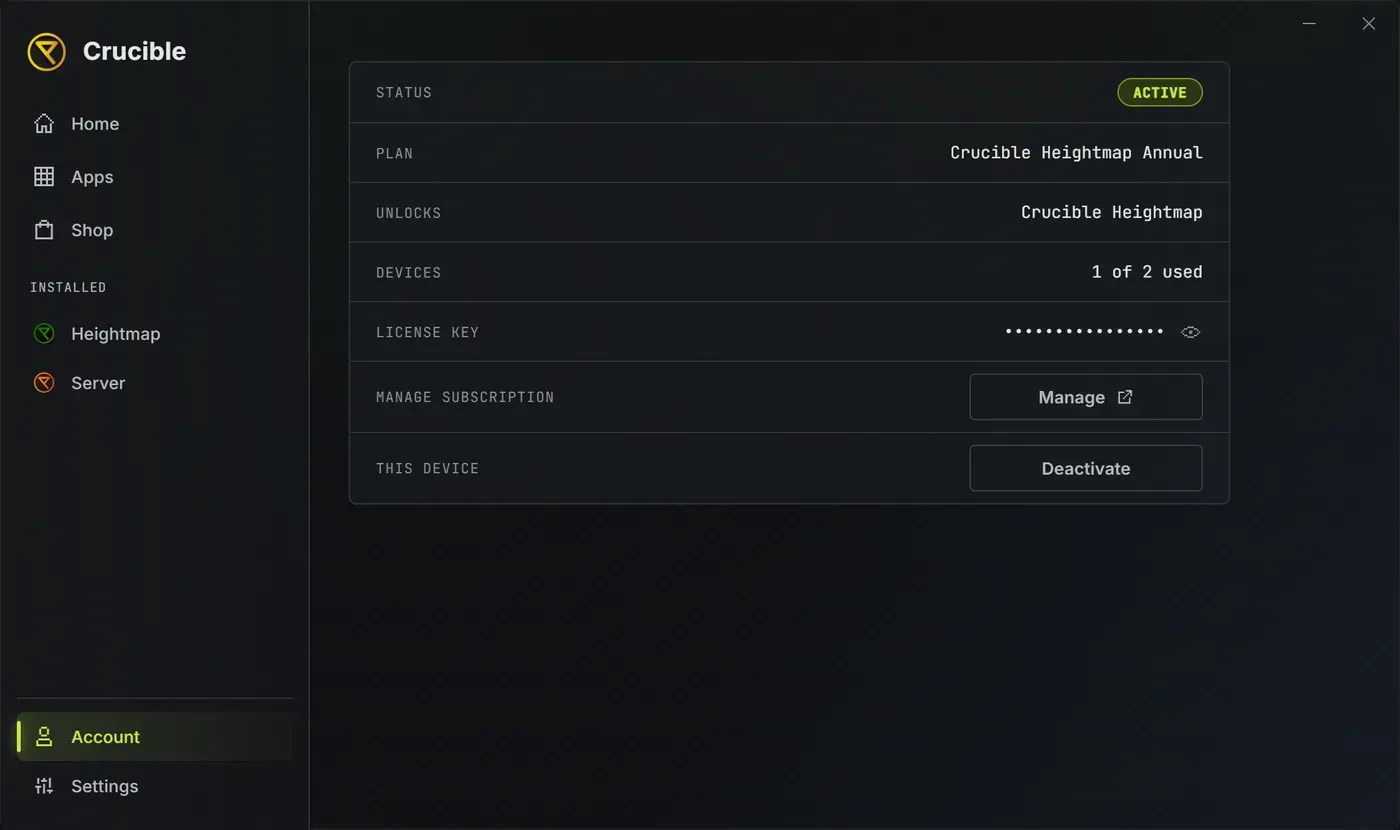
A license unlocks Crucible Heightmap. The launcher itself runs unlicensed and Crucible Local Server is free.
Pricing
Section titled “Pricing”Crucible Heightmap is $4.49 per month or $44.99 per year. One license activates on up to 2 PCs, so a desktop and a laptop are both covered by a single key. Lemon Squeezy is the merchant of record and handles every charge; Drizzza never sees your card details.
Buy it in the launcher
Section titled “Buy it in the launcher”Open the Shop tab, pick your plan, and check out right there. The secure Lemon Squeezy checkout opens inside the launcher as its own Checkout tab, so you never get handed off to a browser. Any Buy or Get Plan button elsewhere in the launcher brings you straight here with Crucible Heightmap already selected.
Two plans sit under the feature list: Monthly at $4.49/mo and Yearly at $44.99/yr, marked Save 17% and picked for you by default. Click the other one to switch before you check out.
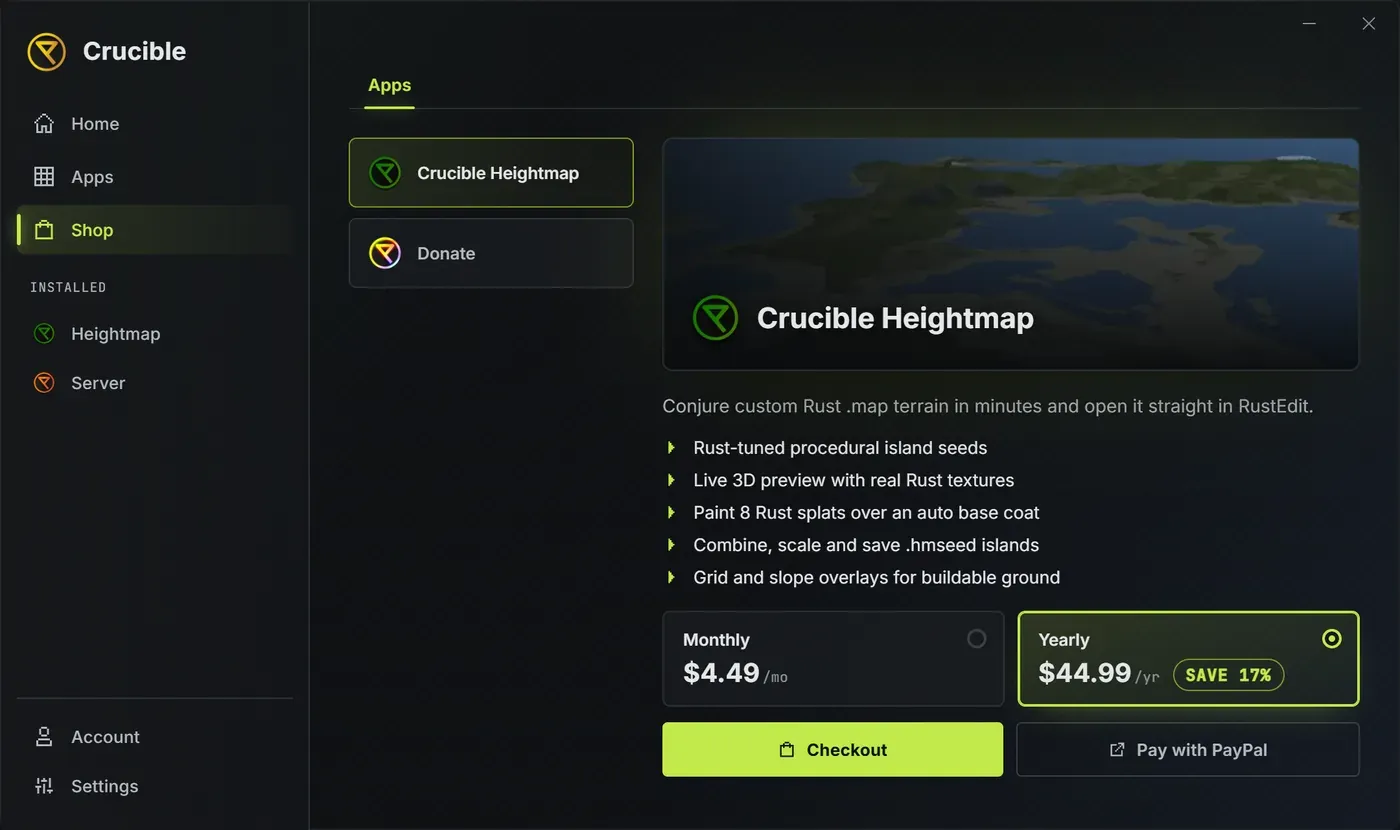
When your payment goes through, your license is applied automatically, no key to copy or paste. Crucible Heightmap unlocks, installs itself, and you get a confirmation. A receipt with your license key is also emailed to you for your records, and you can manage everything from the Account panel any time.
Your key arrives by way of the payment provider, so the launcher keeps checking for it after you pay. It keeps trying for about five minutes, and the confirmation appears the moment the key lands. Leave the launcher open and give it that long before you assume something went wrong.
If the store service cannot be reached, Checkout falls back to opening the checkout page in your web browser instead of inside the launcher. Buy there as normal, then activate the key from your receipt email in the Account panel.
Once your license is active the Shop stops offering you the same plan again. Open it and Crucible Heightmap shows “You already own this. Manage your plan in Account.” in place of the plan options, with no checkout button. Changing or cancelling your plan is done in the Account panel.
The Shop’s product list also carries a Donate entry under the apps. That is optional support for the ecosystem and is completely separate from your subscription: it unlocks nothing, changes no license, and cancelling one never affects the other. See support Crucible.
Enter a key by hand
Section titled “Enter a key by hand”If you bought from the website, or you are setting up a second PC, you can activate manually: open the Account panel, paste your license key, and activate. Your key is in your receipt email from Lemon Squeezy and in your billing portal. Once it is active, Crucible Heightmap unlocks and you can install and launch it from the Apps library.
Status and device usage
Section titled “Status and device usage”The Account panel shows your status, your plan, what it unlocks, and your device usage, the number of PCs the key is active on against its limit of 2, written as 1 of 2 used. Use it to confirm a machine is active or to see whether a slot is free. Your license key is hidden behind dots; click the eye beside it to reveal the full key when you need to copy it.
You also see when money next moves: Renews and the date while the subscription is running, or Access and the date it ends once you have cancelled.
Manage your subscription
Section titled “Manage your subscription”Everything is in the Account panel, no website login needed for the common actions:
- Switch to Yearly or Switch to Monthly. One button, showing whichever plan you are not on. Your billing adjusts from the next renewal.
- Cancel. You are asked to confirm twice, because it is easy to misclick and hard to undo. You keep full access through the time you already paid for, then it stops renewing. Your projects stay on your PC either way.
- Resume. Appears once you have cancelled. Resume before the period ends and it is the same subscription with the same key.
- Billing portal. Open takes you to your Lemon Squeezy billing, already signed in, to change your card, update your details, or download invoices.
- Deactivate. Frees this PC’s slot. See move to a new PC below.
You type your card into the payment provider’s checkout, which renders inside the launcher window during a purchase. Crucible never sees or stores your card details: they go straight to the payment provider, and the launcher only learns whether the payment succeeded. To change the card on an existing subscription, use the billing portal.
Move to a new PC
Section titled “Move to a new PC”Deactivate the key from the Account panel on the old PC to free a slot, then activate it on the new one with the same key. Do this before wiping, selling, or replacing a computer so you do not burn a slot on a machine you no longer use.
License problems
Section titled “License problems”- The app did not unlock after buying. Leave the launcher open for about five minutes after payment. The license is delivered and applied automatically, and the launcher keeps checking for it over that window. If it still has not unlocked, reopen the launcher, or paste the key from your receipt email into the Account panel.
- It says the license is already on 2 PCs. One license covers 2 PCs. Open the Account panel on the old PC, deactivate it to free a slot, then activate on the new machine.
- You lost your key. It is in your purchase receipt email, the billing portal (open it from the Account panel), or your Lemon Squeezy orders page. Still stuck? Ask in Discord.