
What is Crucible Local Server?
Crucible Local Server is a free Rust dedicated server manager for Windows. It runs a local Rust server through forms and buttons instead of .bat scripts, convars and SteamCMD by hand. The app installs the Rust dedicated server for you, starts and stops it behind a live console, and turns everything you used to hand-edit into a UI: server settings, maps, mods, admins, wipes and backups. It is the natural downstream of Crucible Heightmap, where a custom map you generate is one click from a running server.
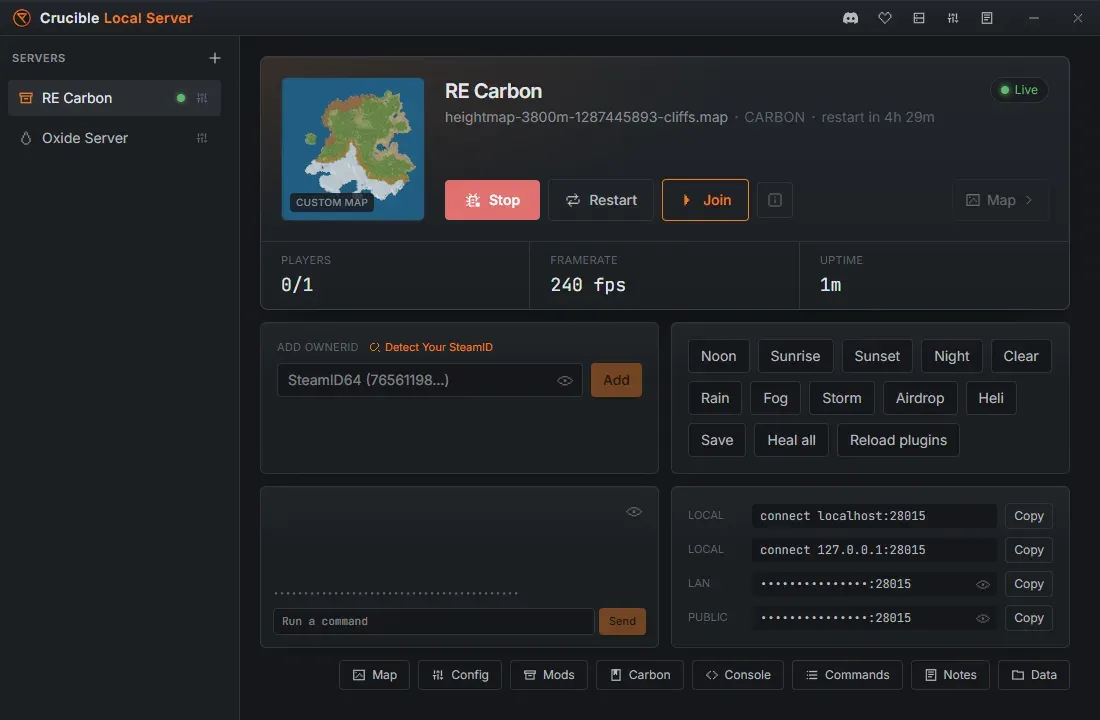
Here is the whole app in action, from install to a running server:
What it does
Section titled “What it does”- Installs and updates the Rust dedicated server through SteamCMD, inside the app, with a live progress bar and the install size.
- Opens to a one-click Quick view for running a server, with a button row along the bottom that opens the full tabbed controls.
- Runs one server at a time by default, or unlocks running several at once, streaming each console live.
- Shows a real lifecycle state, Stopped to Starting to Live, so you know exactly when the world is actually joinable.
- Configures
server.cfgthrough a form, and gives you a real config editor that keeps your own hand-edited lines instead of overwriting them. - Ships create presets for a vanilla procgen server, a creative build server, a staging branch, Carbon, or Oxide.
- Loads custom maps from a local
.mapfile, a built-in LAN host, or a hosted URL, with a one-click import of your Crucible Heightmap exports. - Renders a top-down preview thumbnail of the assigned map, procedural or custom.
- Installs Carbon or Oxide and manages plugins with a browser, enable, disable, a per-plugin config and data editor, and drag-and-drop
.csinstall. - Restarts your server on a daily schedule, with Rust’s own in-game countdown, a Rust update installed while it is down, and a restart after a crash.
- Wipes the map, blueprints, or everything, behind a typed confirmation and an automatic pre-wipe backup, and restores from a backup list.
- Keeps a library of saved worlds, so a base you built on one server can be applied to another.
- Includes a web-RCON console with quick actions, saved macros and Tab-autocomplete, plus a searchable reference of hundreds of admin, creative and cinematic commands and every server variable.
- Gives every server a markdown notebook for wipe checklists, plugin bugs and seeds worth keeping, saved as plain
.mdfiles that survive an uninstall. - Browses the server files in a confined in-app file browser and reveals folders in Explorer.
Who it is for
Section titled “Who it is for”- Rust server admins who want to spin up, configure and wipe a server without hand-editing startup scripts.
- Map makers who want to load a custom
.map, then walk it in first person to test terrain, monuments and layout before shipping it. - Anyone testing mods or plugins on a private local server before touching a live one.
A local testing and staging tool
Section titled “A local testing and staging tool”Crucible Local Server is built for local testing and staging, not live community hosting. Worlds are disposable: quick vanilla servers, map tests from Heightmap, plugin dev loops, cinematic and demo recording, and staging-branch testing. It is the fastest way to get a Rust server running on your own PC and jump straight in.
How it fits the Crucible tools
Section titled “How it fits the Crucible tools”Crucible Local Server is the testing half of a workflow that begins in Crucible Heightmap. You generate custom island terrain in Heightmap and export a Rust .map file, which lands in Heightmap’s own output folder. There is nothing to send: Crucible Local Server scans that folder for you, and every export you have not imported yet is listed in the Quick view’s Map menu, where picking one imports it and assigns it to the server in a single click.
The Crucible launcher delivers both apps, so they install, update and open from one window.
Get started
Section titled “Get started”- Install Crucible Local Server and install the Rust server files.
- Create your first Rust server from a preset and start it.
- Run a custom map from Crucible Heightmap.
- Restart your server automatically on a daily schedule.